Charts for newsletters
Newsletter platforms differ - some want Markdown, some rich HTML - but almost all accept remote images. ChartKit gives you one stable URL per issue graphic.
Platform patterns
Ghost and many MD-first tools accept `!alt`. Buttondown/Medium-like editors often need the raw `<img>` from the ChartKit copy field.
Substack’s editor varies - test both Markdown image syntax and the image insert dialog with your URL.
Use cases
- Creator economy weekly digests with a single “chart of the week”.
- Company internal Substack-style updates with KPI sparklines rendered as PNG.
- Paid tiers that get the same chart URL gated by the newsletter platform, not ChartKit.
Examples
PNG suitable for narrow newsletter columns
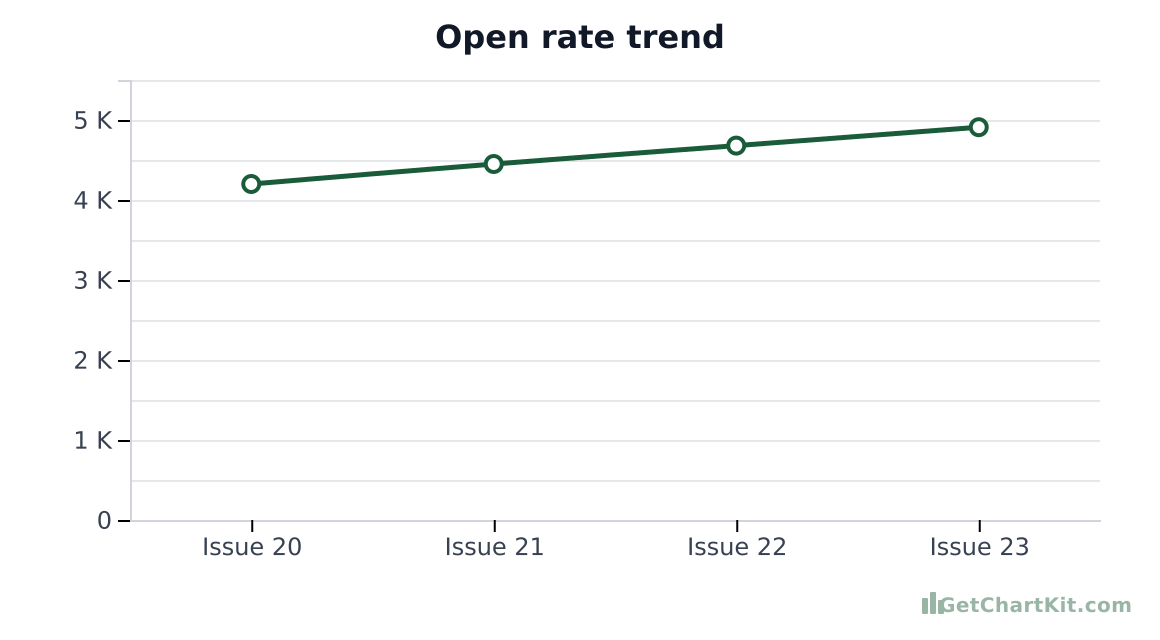
https://getchartkit.com/api/chart?type=line&labels=Issue+20,Issue+21,Issue+22,Issue+23&s0=4200,4450,4680,4910&s0name=Opens&title=Open+rate+trend&format=png&w=580&h=320&valueFormat=compactHTML `<img>` (many ESPs)
<img src="https://getchartkit.com/api/chart?type=line&labels=Issue+20,Issue+21,Issue+22,Issue+23&s0=4200,4450,4680,4910&s0name=Opens&title=Open+rate+trend&format=png&w=580&h=320&valueFormat=compact" alt="Monthly revenue" width="600" height="360" />Markdown (for MD→HTML pipelines)
Donut “share of voice” graphic
https://getchartkit.com/api/chart?type=donut&labels=Essay,Podcast,Video&s0=55,30,15&s0name=Mix&title=Content+mix&format=png&w=480&h=420Horizontal bar for sponsor rankings
https://getchartkit.com/api/chart?type=horizontal-bar&labels=Sponsor+A,B,C,D&s0=12,9,7,5&s0name=Clicks&format=png&w=560&h=340Build the chart for this issue
Adjust fields and copy URL, HTML, Markdown, or an AI prompt. See the URL parameters reference if you are editing links by hand.
Chart options
Advanced▾
Makes X and Y axis labels larger. Applies to bar, line, area, and horizontal bar charts.
Preview
Copy
Show snippets
How it works
- Draft issue text, freeze numbers, build the chart, copy Markdown or HTML.
- Paste early - some editors strip hotlinked images and require upload; download PNG from the URL if needed.
- Archive issues should keep working: avoid expiring intermediaries when possible.
Use with ChatGPT or Claude
LLM-written issues should reference ChartKit URLs explicitly so text and graphics stay in sync.
Compare with charts for email for ESP-specific HTML notes.
FAQ
- Markdown or HTML?
Try Markdown in MD-native tools; fall back to `<img>` when previews break.
- SVG allowed?
Prefer PNG for widest newsletter compatibility.
- Free?
ChartKit public chart URLs are meant for normal trial throughput.
- Can I use Google Sheets data?
- JavaScript?
Not required for readers.