Charts for email
Email clients will not run your chart.js bundle. A remote `<img>` pointing at a ChartKit PNG or SVG is the portable approach.
Why image URLs beat live charts
ESP editors want HTML they can sanitize. Images pass filters more often than script blocks.
Pick `format=png` when your tester shows SVG stripped. Keep width under ~600px for desktop preview panes.
Newsletter-specific tips: charts for newsletters.
Use cases
- Executive weekly metrics blasts with one hero chart.
- Lifecycle campaigns showing progress toward a usage threshold.
- B2B drip sequences referencing the same cached chart URL across steps.
Examples
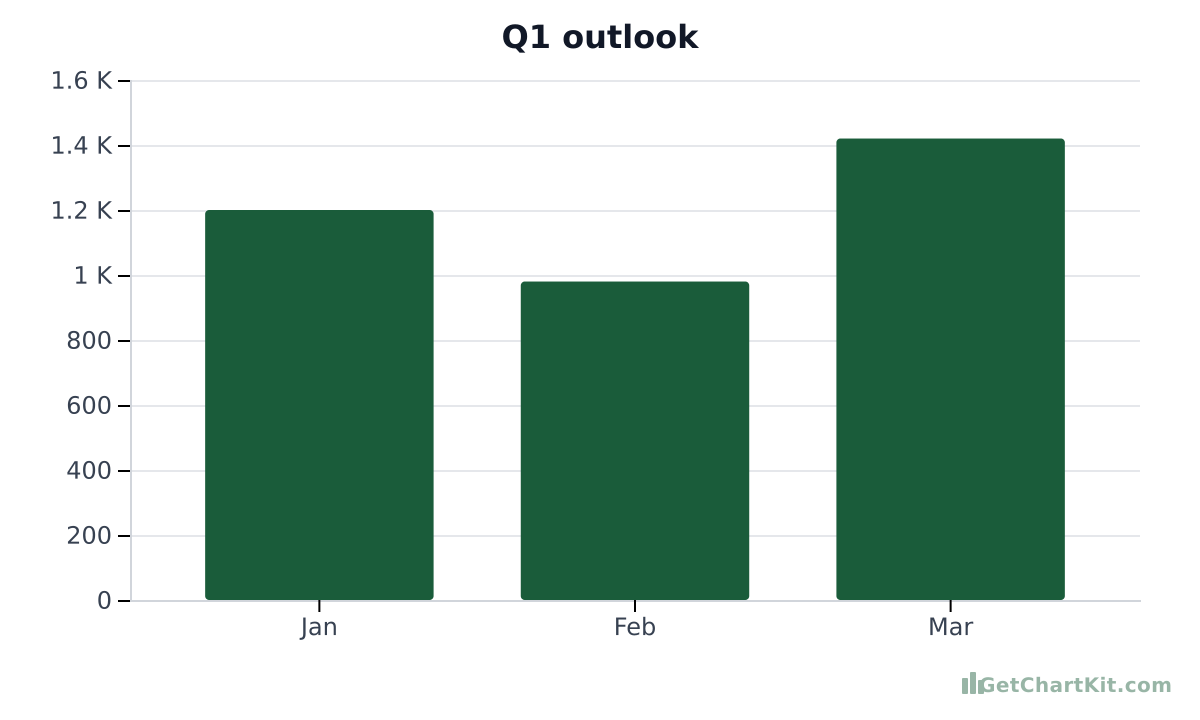
PNG chart tuned for 600px layouts
Replace numbers with yours; test spam placement before broadcast.
https://getchartkit.com/api/chart?type=bar&labels=Jan,Feb,Mar&s0=1200,980,1420&s0name=Revenue&title=Q1+outlook&valueFormat=compact&format=png&w=600&h=360HTML `<img>` (many ESPs)
<img src="https://getchartkit.com/api/chart?type=bar&labels=Jan,Feb,Mar&s0=1200,980,1420&s0name=Revenue&title=Q1+outlook&valueFormat=compact&format=png&w=600&h=360" alt="Monthly revenue" width="600" height="360" />Markdown (for MD→HTML pipelines)
Shorter bar chart (less vertical space)
https://getchartkit.com/api/chart?type=bar&labels=Mon,Tue,Wed,Thu,Fri&s0=5,8,7,9,11&s0name=Replays&format=png&w=560&h=280Horizontal bars when mobile readers wrap text
https://getchartkit.com/api/chart?type=horizontal-bar&labels=Enterprise,SMB,Self-serve&s0=42,35,23&s0name=Mix&format=png&w=600&h=320Compose a chart, then copy URL or `<img>`
Adjust fields and copy URL, HTML, Markdown, or an AI prompt. See the URL parameters reference if you are editing links by hand.
Chart options
Advanced▾
Makes X and Y axis labels larger. Applies to bar, line, area, and horizontal bar charts.
Preview
Copy
Show snippets
How it works
- Build the chart, copy the absolute HTTPS URL, insert into your ESP’s HTML block as `<img src="…" width="…" height="…">`.
- Send seed tests to Gmail, Outlook, and phone clients.
- Track whether your ESP re-hosts images; if so, you may download ChartKit’s PNG and upload to the campaign asset library instead.
Use with ChatGPT or Claude
Ask ChatGPT or Claude for “email-safe HTML img only” so they do not embed scripts.
For blog follow-up, see charts for blog posts.
FAQ
- Can I use SVG in email?
Some clients support it; many do not. PNG is safer for blast campaigns.
- Do recipients need JavaScript?
No - static images only.
- Is ChartKit free for this use?
Trials and moderate public use are fine; check terms for high-volume sending.
- What about dark mode?
ChartKit renders on a light background by default; preview in dark clients.
- Can I build the chart in the browser?
Yes - use the builder below, then copy URL/HTML.